
Administration Console: History
The History tab displays a paginated list of past deployment tasks, so that you can review what was deployed, when it ran, and whether it succeeded.
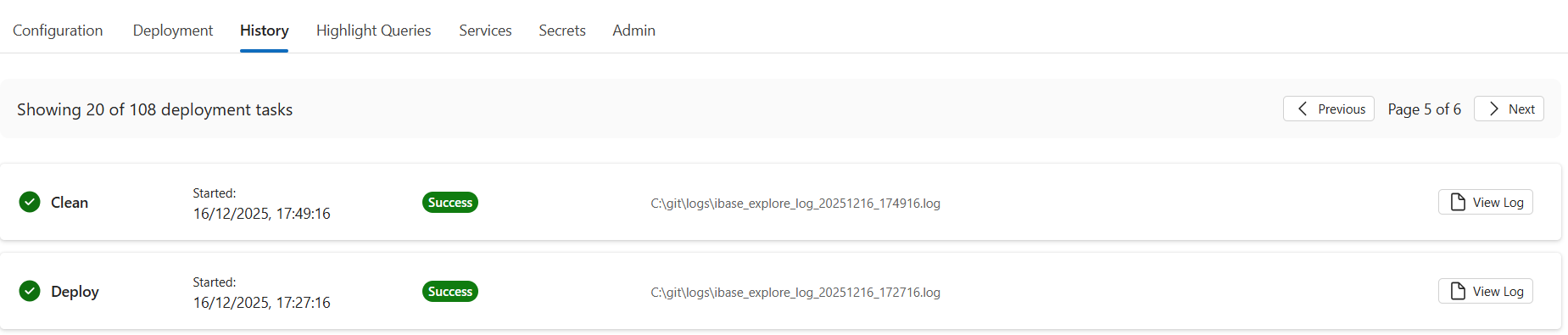
Deployment history list
Each entry in the history list represents a completed deployment task. The following information is displayed for each entry:
Task type — The operation that was performed: Deploy, Upgrade, or Clean.
Start time — The date and time at which the task was started.
Status — The outcome of the task, shown as an icon and a coloured badge:
Green tick and green Success badge — The task completed without errors.
Red exclamation and red Error badge — The task failed. Open the log to review the cause.
Yellow Cancelled badge — The task was cancelled before it completed.
Log path — The file path of the log file on the server.
If no deployment tasks have been run, the tab displays a message: "No deployment history available."
Viewing a task log
Each entry includes a View Log button. Clicking this button opens a dialog that displays the full deployment log for that task. The log is presented in a scrollable, monospace text area.
You can use the log to diagnose failures, confirm the steps that were executed, and verify the final state of the environment after a deployment, upgrade, or clean operation.
Pagination
The history list displays 20 entries per page. Navigation controls at the top of the list show the current page number, total page count, and the total number of deployment tasks. Use the Previous and Next buttons to move between pages.