Working with entity badges from item properties
You can work with badges on entities, using the Edit Item Properties style options.
Procedure
To add badges to entities:
Select an entity on the chart and right-click to open the context menu.
Select Edit Item Properties.
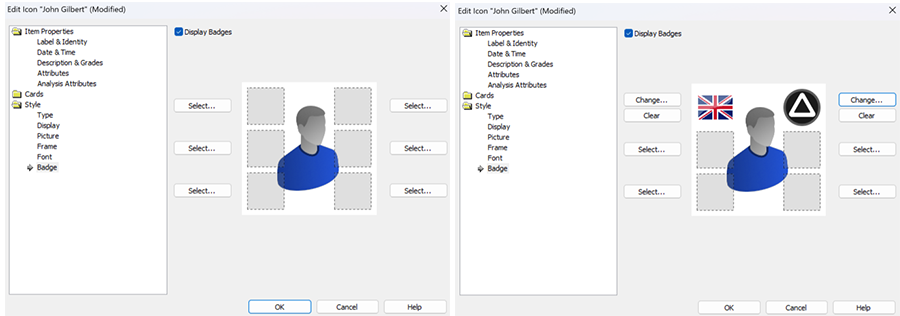
In the Style folder, click Badge and tick the Display Badges checkbox. The entity icon gains six empty badge placeholders and Select options.
You can select up to six badges to display on the entity. When you have chosen a symbol, you have the options to change your selection, or to remove the badge from the entity.
Click OK to apply your changes.